
WVLT News
Gray MediaNews & Magazines
3.3366.00 Reviews
- Version
- Varies With Device
- Installs
- 100.00K
- Age Rating
- Everyone 10+
Screenshots
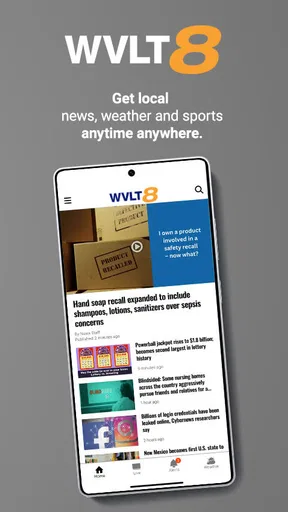
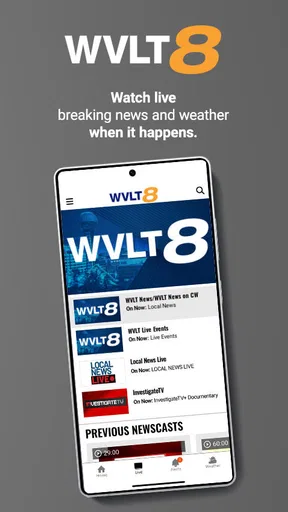

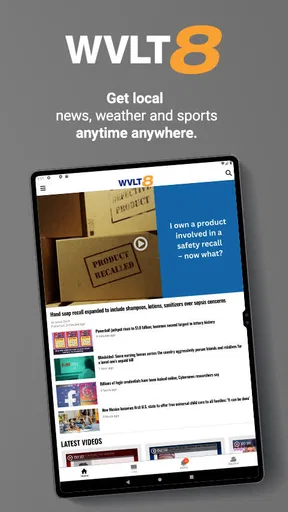
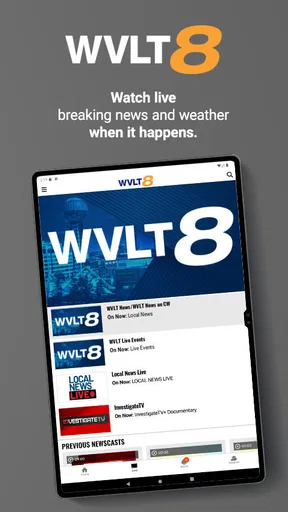

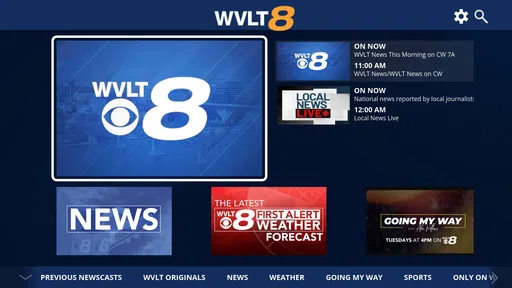
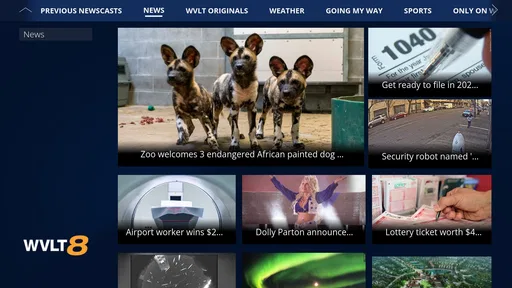
Our Review of WVLT News
 Analysis by Appyee
For people living in Knoxville, local news is most useful when it fits into the small gaps of an ordinary day: checking the forecast before leaving home, catching a local update during breakfast, or finding out what is happening while a live newscast is already underway. That is the role I found for WVLT News. It is a free news and magazines app from Gray Media, focused on news, sports, weather, and live broadcasts from WVLT News in Knoxville, Tennessee.
I would not describe it as a replacement for every news source on my phone. Its value is narrower and more practical: it brings local coverage into one place without asking me to build a complicated reading routine. If Knoxville is where you live, work, study, or regularly travel, that local focus makes the app more relevant than a broad national news reader. If you mainly want international headlines or a highly customizable news feed, another type of app will probably suit you better.
How I use WVLT News during a normal day
My baseline workflow starts with a quick visit rather than leaving the app open all day. I use the main news area to scan what has changed, then move to weather when I need a decision rather than general browsing. That distinction matters. A local news app is most useful when it answers a practical question: should I change my route, carry an umbrella, allow more time, or pay attention to a developing local story?
The app’s four-part mix of news, sports, weather, and live newscasts gives it a sensible rhythm. News is where I go for the broader local picture. Sports is more useful when I want to follow regional teams and events without sorting through national coverage. Weather is the quick planning tool, while live newscasts are better when I prefer to watch coverage unfold instead of reading short updates.
I found that this works best as a short, repeatable check. Opening the app with a specific purpose keeps it from becoming another endless scroll. I might read the leading local story, check the forecast, and leave. Later, if a major event is developing, the live broadcast option gives me a different way to follow it. The strongest habit is treating the app as a local information dashboard, not as a complete internet news replacement.
That approach also makes the app easier to judge fairly. It is not trying to be a general magazine shelf filled with every subject. Its identity comes from the WVLT News coverage area and the convenience of combining several local formats. For a Knoxville resident, that concentration can save time. For someone outside the area, the same concentration may feel limiting very quickly.
News reading that stays local
The main advantage over a national news aggregator is context. A large aggregator may show major stories from everywhere, but local developments can be buried beneath national politics, entertainment, and viral headlines. WVLT News gives local reporting a more prominent role, which is helpful when the story affects roads, schools, public services, weather conditions, or community events near Knoxville.
There is a trade-off, though. A focused local app naturally has a smaller range of subjects than a broad reader. I would choose it for regional awareness, not for a morning briefing on world markets, international events, or technology. Keeping both types of app can make sense, but I would avoid expecting this one to perform the job of the other.
Weather and live coverage serve different needs
The weather section is most valuable when paired with a routine. I check it before commuting, outdoor plans, or travel across the area. The useful insight is not simply that weather is included; it is that having local weather beside local reporting reduces the need to jump between separate sources during a busy morning. If a weather event is connected to a developing news story, that combination becomes even more practical.
Live newscasts are a different experience from reading. They can provide a sense of timing and continuity, especially when a story is changing. However, watching live coverage requires more attention and a dependable moment to sit with it. When I only need the essential facts, written updates are more efficient. When I want the flow of a broadcast, the live option is the better fit.
Settings and habits worth checking first
I recommend spending a few minutes examining the app’s available settings when you first install it, especially any controls related to notifications and content preferences. I would rather decide when a news app can interrupt me than allow every alert to compete with messages, work, and other daily reminders. The exact choices available can depend on the current app build and device, so I treat the settings screen as something to review personally rather than assume it will match another phone.
A useful arrangement is to separate urgent awareness from casual reading. If notifications are available, I would keep only the kinds of updates that genuinely help me act, such as significant local developments or weather-related information, and leave routine headlines for a deliberate visit. This prevents the app from turning every update into an interruption while preserving its value during important events.
I also suggest checking how the app behaves when moving between articles, weather, sports, and live video. Some people prefer to open directly into the section they use most, while others benefit from seeing the full local picture first. Even without inventing a special shortcut, a consistent starting point makes the experience faster. I usually begin with the most time-sensitive section, then move to background reading only if I have time.
Another practical check is your connection. Written articles are generally easier to consume in imperfect conditions than live video, so I would not make the broadcast section the only way I follow important coverage. If I am heading somewhere with unreliable service, I prefer to read the key updates first and use live viewing when the connection and time are both suitable.
A repeatable workflow for busy mornings
My faster pattern is simple. First, I scan the leading local stories. Second, I check weather with the day’s plans in mind. Third, I look at sports only if there is a team, event, or result I specifically want to follow. Finally, I decide whether a live newscast is worth watching. This order prevents sports or video from taking over the time I originally set aside for practical information.
For a realistic example, imagine leaving Knoxville for work while rain is expected and a local traffic issue may affect the route. I would open the news area for the latest local context, move to weather to confirm what the morning looks like, and then use the live newscast only if the situation appears to be developing. That sequence is more useful than passively browsing every section, because each step answers a different question.
For evening use, I reverse the emphasis. I may start with the live newscast if I want a fuller recap, then read one or two articles afterward for details. Sports can become the final stop when I am checking results rather than planning the next part of the day. These small routines make the app feel less cluttered, even though the content areas are all available in one place.
Experienced users should also resist the temptation to treat every notification as a command to open the app immediately. I find it more efficient to group ordinary checks around natural breaks. That preserves attention and still keeps the app useful. During severe or rapidly changing local conditions, the balance can change, and more frequent checking may be reasonable.
Where it compares well with ordinary alternatives
Compared with a mobile browser, the app offers a more direct route to WVLT News content. A browser is more flexible and can search across many publishers, but it also brings extra tabs, unrelated results, and a less focused reading experience. If my goal is specifically Knoxville coverage, a dedicated app feels more convenient than repeatedly searching for the same local source.
Compared with a national news aggregator, WVLT News is less broad but more geographically intentional. Aggregators are better when I want variety, multiple viewpoints from many publishers, or a single feed covering the entire country and world. This app is better when local relevance matters more than breadth. I would use the two differently rather than declare one universally superior.
Compared with a standalone weather app, WVLT News combines weather with reporting and broadcasts. A dedicated weather tool may be preferable for people who need highly specialized forecasting workflows or spend much of the day studying weather details. For ordinary planning around Knoxville, the integrated local approach is more convenient because I can move from forecast to news without changing apps.
Compared with watching television, the app is more portable and easier to check on demand. A television broadcast can feel more natural for a full news block, but it depends on being in front of a screen at the right time. The live newscast feature narrows that gap, while written stories remain available for moments when watching is impractical.
Limits that matter before relying on it
The first limitation is geographic. The app’s purpose is tied closely to Knoxville, Tennessee, so its usefulness drops if your daily life is elsewhere. Someone moving between several regions may prefer a broader service that can organize many local sources. I would still consider WVLT News useful for a visitor who needs Knoxville weather and local developments, but it would not be my only news app for a wider trip.
The second limitation is attention. News, sports, weather, and live broadcasts can encourage repeated checking, particularly when notifications are active. That is not a unique flaw, but it is worth managing. I prefer a quiet default and intentional visits, because the app works better as a tool for decisions than as a constant stream in the background.
Live video also has a practical cost in time and connectivity. If I am on a weak connection, using limited mobile data, or trying to learn one specific fact quickly, a written story is the sensible choice. The broadcast format is valuable when I want continuity and presentation, not when I need the fastest possible answer.
The public response suggests a mixed experience rather than universal approval. WVLT News holds an average rating of 3.3 from around 994 ratings, with roughly 366 written reviews. I read that as a reason to approach it with realistic expectations: the app has a clear local purpose, but individual experiences can vary with device behavior, content preferences, and how much a person values live coverage versus quick reading.
Its scale is established but not enormous, with over 100 thousand installs. That is enough to show that it serves a real audience, while also reinforcing that this is a regional news product rather than a mass-market global platform. I would judge it by how well it serves Knoxville needs, not by comparing its audience size with national news brands.
Who should install it, and who should skip it
I would recommend it to Knoxville residents who want local news, weather, sports, and live coverage in one free app. It is especially suitable for people who prefer a short daily routine and do not want to search the web for every local update. It can also help former residents or frequent visitors keep a closer connection with the area, provided local coverage is what they actually need.
I would be more cautious for readers who want a carefully configurable national or international news system. If your priority is comparing many publications, following specialized subjects, or building a broad reading list, a general aggregator or several topic-specific sources will offer more range. This app should complement that setup rather than replace it.
The age classification is Everyone 10+, and the app is free to use. Those details make it easy to consider for a household device, but I would still remember that news coverage can include serious or unsettling real-world events. Parents may want to decide whether younger users should browse independently, particularly during major breaking stories.
My verdict after building a routine around it
WVLT News succeeds when I ask it to do one job well: keep me connected to Knoxville through local reporting, weather, sports, and live newscasts. Gray Media has positioned it as a focused news app rather than a universal media hub, and that focus is its main strength. I appreciate being able to move from a local story to the forecast or a broadcast without starting a separate search.
It is not the right choice for everyone. People outside the coverage area, readers who want global breadth, and users who need highly specialized weather tools may be better served elsewhere. Even local users should manage notifications and choose written updates or live video according to the situation instead of treating both formats as interchangeable.
My practical recommendation is to install it, review the notification controls before settling into a routine, and use a three-step check: local headlines, weather, then optional sports or live coverage. That workflow keeps the app useful without making it demanding. For Knoxville-focused awareness, WVLT News is a sensible free companion; for broad news discovery, it is best used alongside—not instead of—a wider source.
Verdict
Strengths of WVLT News
- Live local news, weather, and traffic updates in one app.
- Push alerts help users stay informed about breaking stories.
- Easy access to WVLT newscasts and on-demand video clips.
- Weather radar and forecasts are useful for planning nearby activities.
- Clean layout makes browsing headlines quick and straightforward.
Limitations of WVLT News
- Some video content may require a stable, fast internet connection.
- Frequent notifications can feel excessive unless carefully customized.
- Coverage is focused mainly on the Knoxville and East Tennessee area.
- Advertising may interrupt browsing or appear alongside news content.
- Certain features or stories may depend on an active location setting.
Other Releases by Gray Media
View All
KY3 Weather
Weather4.6

Telemundo Atlanta
News & Magazines4.3

FOX5 Vegas - Las Vegas News
News & Magazines2.9

WAFF 48 First Alert Weather
Weather4.6
Similar Picks in This Category
View All
Google News - Daily Headlines
Google LLC4.0

X
X Corp.4.8

Flipboard:Your Social Magazine
Flipboard3.4

Opera News: breaking & local
Opera4.5

Hindi News by Dainik Bhaskar
Dainik Bhaskar Group4.0

Way2News Daily News App
Way2News ( Formerly Way2SMS )4.6
Frequently Asked Questions
What is WVLT News?
WVLT News is a local news app focused on Knoxville, East Tennessee, and surrounding communities. It provides access to breaking news, weather updates, traffic information, sports coverage, investigative reports, and video stories from the WVLT newsroom. The app is designed for users who want a convenient way to follow regional events and receive important updates on their mobile device.
What features does the WVLT News app offer?
The app typically includes a continuously updated news feed, live and on-demand video, weather forecasts, radar maps, severe weather alerts, school or community announcements, and coverage of local sports and events. Depending on your location and device settings, you may also receive push notifications for breaking stories, weather emergencies, and other significant developments in the WVLT viewing area.
Is WVLT News free to download and use?
WVLT News can generally be downloaded free of charge from the Google Play Store or Apple App Store. Most news articles, videos, weather information, and alerts are available without a subscription, although the app may contain advertising. Mobile data charges can still apply when streaming video, loading images, or using live radar away from a Wi-Fi connection.
Does WVLT News provide reliable weather and emergency alerts?
The app is particularly useful for local weather coverage because it combines forecasts, radar, video updates, and severe weather notifications from the WVLT meteorology team. Users should enable notifications and allow location access if they want relevant alerts for their area. However, the app should complement, rather than replace, official emergency instructions from local authorities.
Does WVLT News require location access or an account?
You can usually browse general news content without creating an account, but some features may work better after granting optional permissions. Location access can help personalize weather forecasts and alerts for your current area, while notification permission is needed for breaking-news messages. If you prefer greater privacy, you can deny these permissions, though certain personalized features may be limited.
